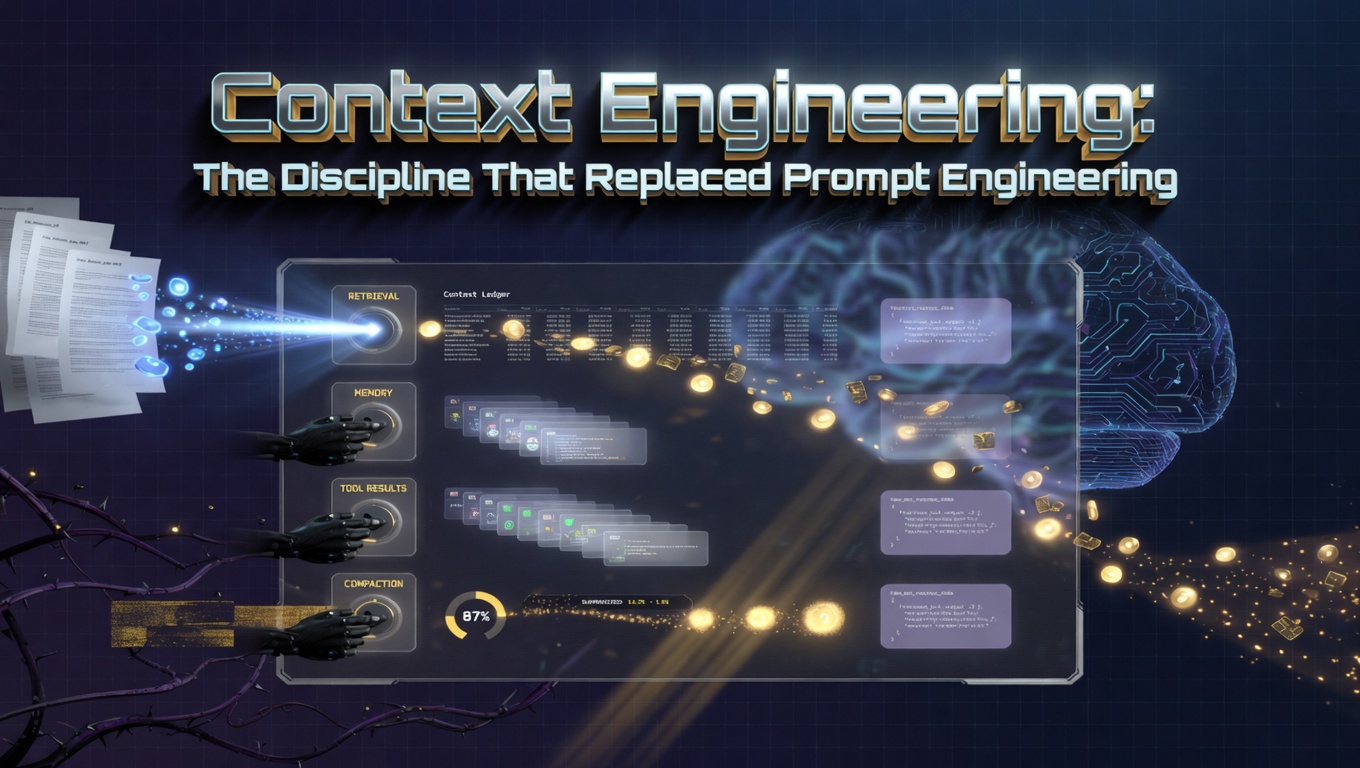
LLM-Powered Personal Productivity Banner

LLM-Powered Personal Productivity: Building a Private Automation Stack

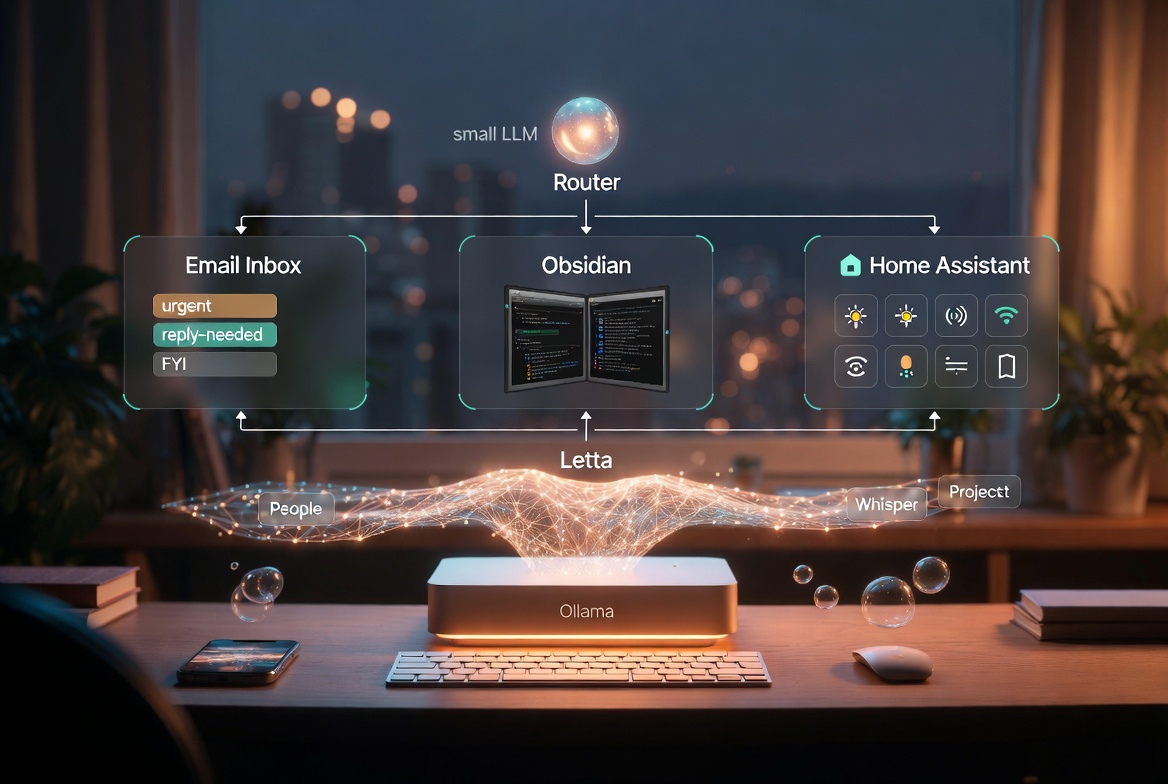
TL;DR The interesting question in 2026 is not “can a local model do this”, it is “which jobs should you give it”. My stack: Ollama for inference, Letta for persistent agent memory, Obsidian as the second brain, Home Assistant for the physical world, and a small router that decides where each thought goes. Three jobs are the sweet spot for local: inbox triage, note enrichment, and routine automation. Each one is repetitive, private, and tolerant of a bit of latency. Two jobs are still worth handing to a frontier cloud model: anything novel-and-hard, and anything where you want the best draft on the first attempt. The bit nobody talks about is the router. The model is not the product. The thing that decides which model gets which job is the product. Why Local Got Interesting For years the answer to “should I run an LLM locally” was “no, just use the API”. The API was cheaper, faster, smarter, and you did not have to think about VRAM. The only reason to go local was privacy, and most people did not actually care about privacy enough to give up the quality gap. ...
May 3, 2026 · 9 min · James M
Speech To Text Banner

MacWhisper vs Wispr Flow vs Superwhisper: The 2026 Dictation Stack Compared

TL;DR MacWhisper is a file transcription tool (audio in, text out) that runs entirely on-device - the right pick for journalists, researchers, and anyone transcribing recordings Wispr Flow is the easiest system-wide dictation option, with AI-powered prose cleanup and cross-platform sync, but it sends audio to the cloud with no on-device option Superwhisper matches Wispr Flow’s system-wide dictation but processes audio locally, with bring-your-own-key LLM cleanup and deep customisation for power users The core decision is simple: if your audio can leave your machine, use Wispr Flow; if it must stay local, use Superwhisper; if you just need transcription, use MacWhisper The real product differentiation is no longer the underlying Whisper model - it is hotkey ergonomics, auto-edit prompts, and workflow integration Voice input on the Mac used to mean fighting with the built-in Dictation feature or paying Nuance a small fortune. In 2026, the landscape looks completely different. A handful of indie and venture-backed apps have turned Whisper-class models into genuinely fast, accurate tools that sit quietly in your menu bar until you hold a hotkey. ...

April 20, 2026 · 7 min · James M
Token efficiency visualization

The Token Efficiency Mindset - Why Your Claude Conversations Cost More Than They Should

TL;DR Token costs don’t scale linearly with productivity - the context window compounds with every follow-up message, so a five-message conversation can cost 2-3x more than one well-structured request Compression is your biggest lever: cutting a prompt in half before sending it reduces cost and often improves answer quality by removing noise Batch tasks that share context together; don’t batch unrelated tasks - real batching spreads the setup cost across related work Build reusable systems (templates, project files, prompt prefixes) instead of solving the same problem repeatedly and paying the context cost each time Prompt caching can cut input token costs by 80-90% on workloads with stable prefixes - the single biggest structural saving most teams are missing If you’re paying attention to your Claude usage, you’ve probably noticed something: your token bills don’t scale linearly with your productivity. Sometimes a conversation that feels quick costs three times more than expected. Other conversations that took hours feel suspiciously cheap. ...

April 17, 2026 · 6 min · James M
Paperless-ngx self-hosted document management

Paperless-ngx: Self-Hosted Document Management Without the Vendor Lock-in

TL;DR Paperless-ngx is a self-hosted, open-source document management system that scans, OCRs, and auto-organizes physical paperwork with no subscription fees or vendor lock-in Documents are automatically tagged and filed using custom rules, and the full archive is searchable by text extracted via OCR Self-hosting options include a local NAS, Docker on a server, a cheap cloud VPS, or even a Raspberry Pi - the system is not computationally demanding The primary benefits over commercial alternatives are complete data ownership, zero recurring cost at scale, and suitability for sensitive documents under HIPAA or GDPR It suits document-heavy professionals and privacy-conscious individuals best; casual users with few documents don’t need it The paper stack on your desk is growing again. Medical records mixed with tax documents, utility bills, insurance forms - all of it scattered across a filing cabinet that’s become increasingly harder to navigate. There’s probably some important document you can’t quite remember where you filed it. ...

April 15, 2026 · 6 min · James M
Cline AI coding agent

Cline: The Next Generation AI Coding Assistant

Reading path: For the canonical stack essay, start with AI Dev Tooling. TL;DR Cline (formerly Claude Dev) is an open-source VS Code extension that acts as an autonomous agent - it reasons, uses tools, runs terminal commands, and verifies its own work in a loop Unlike “chat-and-copy” tools, Cline operates as an operator with tools: reading files, executing code, running tests, and iterating until a task is complete Model Context Protocol (MCP) is Cline’s superpower - it lets Cline connect to external data sources like databases, documentation, and APIs without those features being hard-coded Compared to Cursor (best for speed and UX) and Claude Code (best for terminal-native workflows), Cline excels at complex, multi-file tasks that span many steps The developer’s role shifts from writing syntax to architectural oversight - you review intent and direction, not individual lines of code In the rapidly evolving landscape of AI Dev Stacks, a new heavyweight has emerged that fundamentally changes the “Assistant” dynamic. Formerly known as Claude Dev, Cline has matured into a sophisticated autonomous agent that doesn’t just suggest code - it executes engineering plans. ...

April 10, 2026 · 4 min · James M
From Awakening to Action Banner

From Awakening to Action: Building the Life You've Discovered

The Space Between Knowing and Becoming There is a particular moment in the journey of personal transformation that nobody quite prepares you for. It comes after the awakening - after you have seen clearly what matters, remembered who you are, and felt the profound sense that something fundamental has shifted inside you. And then reality arrives. The bills still need to be paid. The old habits are still there, waiting at 3am. The people around you haven’t changed, even though you have. The clarity you felt so vividly in that moment of insight begins to blur against the texture of ordinary Tuesday afternoons. ...

April 9, 2026 · 13 min · James M
Claude Code vs Cursor comparison

Claude Code vs Cursor: A 6-Month Comparison

TL;DR After six months of daily use, neither Cursor nor Claude Code wins outright - they represent two distinct philosophies that complement each other in a hybrid workflow Cursor’s strength is deep IDE integration: seamless codebase indexing, best-in-class multi-file Composer Mode, and zero context switching for feature development and UI work Claude Code’s strength is agentic execution: it runs tests, reads output, fixes code, and loops until passing - ideal for debugging, test-driven fixes, and housekeeping tasks The real winner underlying both tools is the Claude 4 family (Sonnet 4.6 for most work, Opus 4.7 for the harder agentic loops); the choice of tool determines how you interact with that intelligence, not which intelligence you get The practical split: use Cursor as your primary environment for feature work, use Claude Code when you need something to just run and fix itself It’s been six months since the landscape of AI coding tools shifted from “helpful autocomplete” to “autonomous agents.” During this time, I’ve used both Cursor and Claude Code (Anthropic’s CLI tool) for every major project. ...

April 8, 2026 · 3 min · James M
The Engineer's Guide to Managing Creative Burnout Banner

The Engineer's Guide to Managing Creative Burnout

TL;DR Engineer burnout has a specific shape: infinite scope, context switching, invisible work, decision fatigue, and the expectation to be always-on Prevention rests on three pillars: timeboxing work items, learning to say no, and communicating honestly across levels Timeboxing works because it converts infinite scope into finite commitments - the box is the boundary, not the estimate Saying no is a skill with scripts, not a personality trait; most “no"s are actually “not now” or “not me” The paradox of boundaries: the engineers who protect their creative energy most fiercely are the ones who end up giving the most The Shape of Engineer Burnout Creative burnout in engineering looks different than burnout in other fields. It’s not just exhaustion from long hours (though that’s part of it). It’s the specific fatigue that comes from: ...

April 7, 2026 · 14 min · James M
Boosting Productivity Essential Habits for Personal Growth Banner

Boosting Productivity: Essential Habits for Personal Growth

Introduction In today’s fast-paced world, personal development and productivity are more crucial than ever. It’s not just about doing more, but about doing the right things more effectively to lead a fulfilling life. Cultivating essential habits can be the cornerstone of significant personal growth and sustained productivity. This post delves into practical strategies and habits you can adopt to unlock your potential. Setting Clear Goals The journey of personal development begins with a clear destination. Without well-defined goals, efforts can be scattered and ineffective. ...

April 6, 2026 · 4 min · James M
Mac Applications and Utilities Banner

Mac Applications & Utilities

This is the working set of Mac applications I actually use, grouped by the job they do rather than by category of app. Most of these I have paid for at some point - the investment has usually been justified within a week. A handful are free and just happen to be best-in-class. For command-line tooling installed through Homebrew, see the companion Mac Homebrew Packages page. Legend: 🆓 Free - 💰 Paid or Freemium ...

April 4, 2026 · 3 min · James M